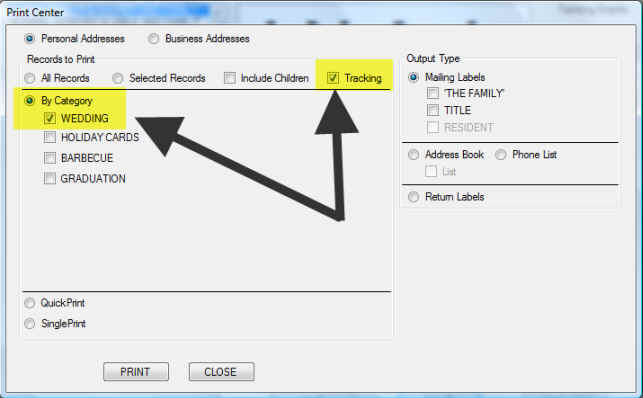
1) Open the Print Center window
2) Select the WEDDING category and the Tracking option and press the PRINT button
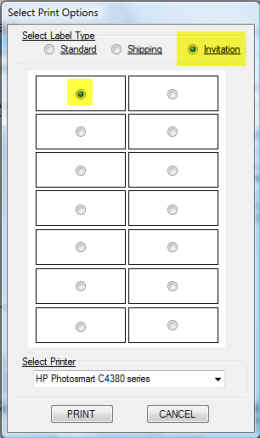
3) The Select Print Options dialog will appear. Select the Invitation option and the starting label and press the Print button.
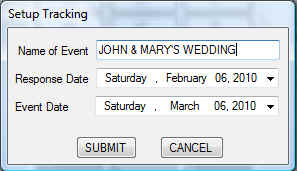
4) Enter the name of the event along with the date you need the responses back and the date of the event.
5) Your mailing labels will print and your tracking list will be created. Click here to view the tracking list.